

If you’re reading this, chances are you’re knee-deep in support tickets and looking for ways to manage them more effectively.
When your business is bombarded with a relentless wave of new customer support tickets, it’s easy to feel like you’re drowning in a sea of requests. Implementing a service desk ticket triage system, complimented by an AI-powered ticketing system and workflow automation, transforms the madness into methodical organization.
In this blog, we’ll talk about the ticket triage process and uncover how AI can maximize its accuracy and efficiency, lightening the load for your IT support team.
We’ve also got 8 killer tips that will transform your ticket triage process from chaotic to streamlined. Buckle up, and let’s dive in.
First things first,
What is Ticket Triage?
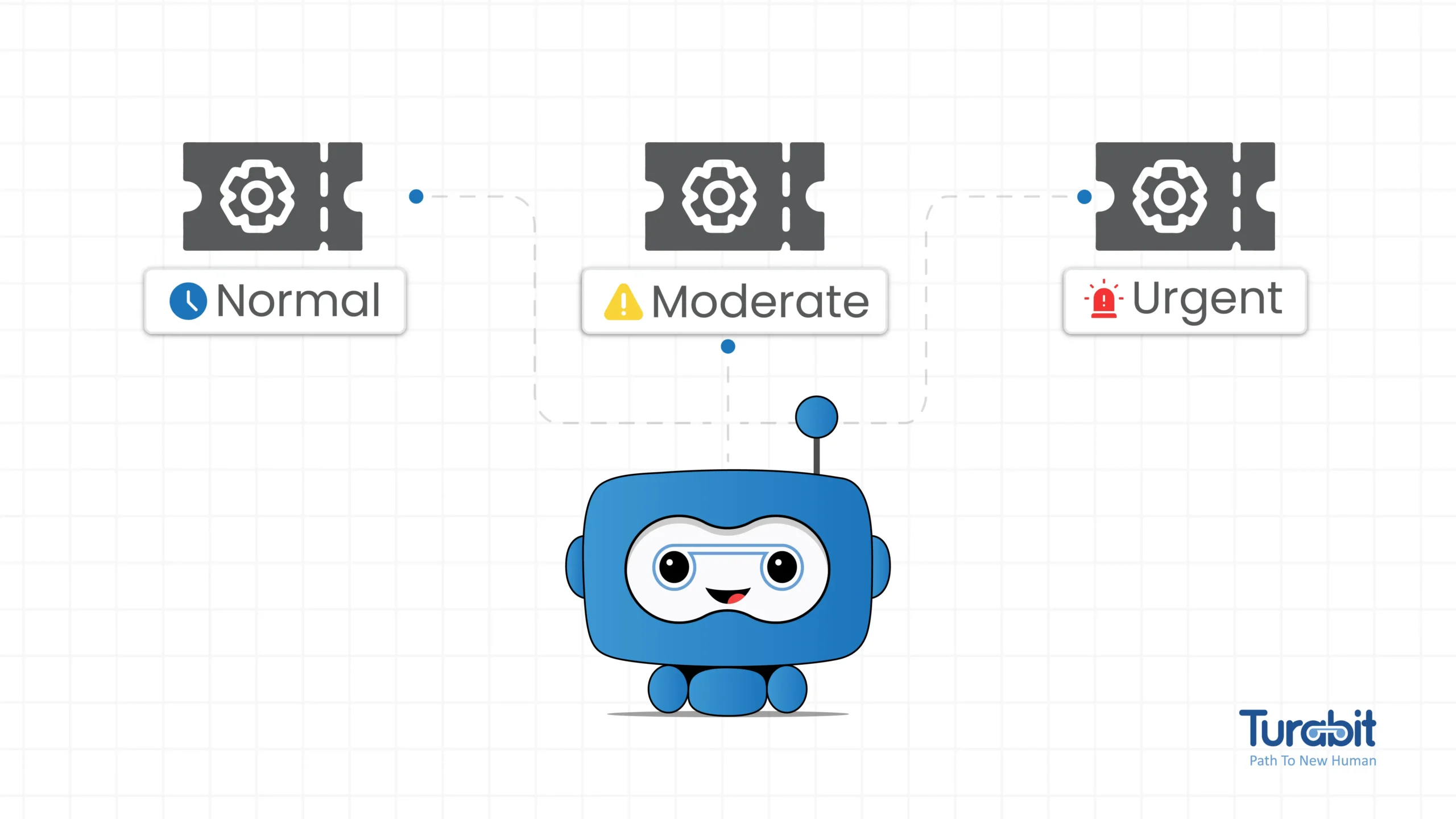
Ticket triage is the process of evaluating, classifying, and assigning support tickets based on their priority and complexity. This includes:
This structured approach ensures that high-priority tickets are addressed quickly, optimizing the efficiency of the support team and enhancing customer satisfaction by resolving issues in a timely manner.
Understand the Importance of Triage
Why is ticket triage so crucial? Imagine you’re in an ER, and a patient with a minor cut gets treated before someone having a heart attack. Chaos, right?
The same principle applies to support tickets. Proper triage ensures critical issues get immediate attention while less urgent ones wait their turn. It’s all about prioritizing to maximize efficiency and customer satisfaction.
8 Tips for Better Support Ticket Triage
Tip #1 Use AI to Automate your Ticket Triage
If all of this sounds overwhelming, that’s because it is! Trying to triage tickets manually is a recipe for disaster. You need to automate your Ticket Triage with AI Service desk to cut down on effort and human error.
The best way? Use Tuva IT: An AI Assistant for IT Support to streamline the whole process.
For instance, Tuva IT uses intent-detection models to identify keywords like “urgent” or “down” and trigger higher priority levels.
AI and Automation saves time and reduces human error, making your triage process more efficient.
Tip #2 Establish Clear SLAs
Service Level Agreements (SLAs) are vital. They set clear expectations for response and resolution times. Make sure your team understands and adheres to these SLAs. If a ticket is marked as high priority, there should be no delay in addressing it. Clear SLAs help maintain consistency and accountability.
Tip #3 Empower Your Team
Your support team is on the front lines. Empower them with the tools and authority to make triage decisions. Provide training on triage best practices and encourage them to use their judgment. A well-trained team can quickly and accurately prioritize tickets, ensuring a smoother workflow.
Tip #4 Communicate Clearly and Often
Communication is key. Keep your Customers and Employees informed about ticket status and expected resolution times. Use your ticketing system’s notification features to send regular updates. Clear communication reduces frustration and builds trust, even if the resolution takes longer than expected.
Tip #5 Use Data and Metrics
Data is gold. Regularly review metrics like ticket volume, resolution times, and customer satisfaction scores. Use this data to identify trends and areas for improvement. For example, if certain issues frequently pop up, it might indicate a deeper problem that needs addressing.
Tip #6 Implement a Triage Rotation
Avoid burnout by rotating triage duties among team members. A fresh set of eyes can often spot things others might miss. Plus, it gives everyone a break from the high-stakes task of triaging, keeping the team energized and focused.
Tip #7 Keep a Knowledge Base
A well-maintained knowledge base is a lifesaver. Document common issues and their resolutions. This resource can help your team quickly triage and resolve tickets, reducing the overall workload. Make sure it’s easily accessible and regularly updated.
Tip #8 Review and Improve
Last but not least, continually review your triage process. Solicit feedback from your team and customers. What’s working? What’s not? Use this feedback to refine your approach, ensuring it remains effective and efficient.
Ticket Triage Process Automation with AI
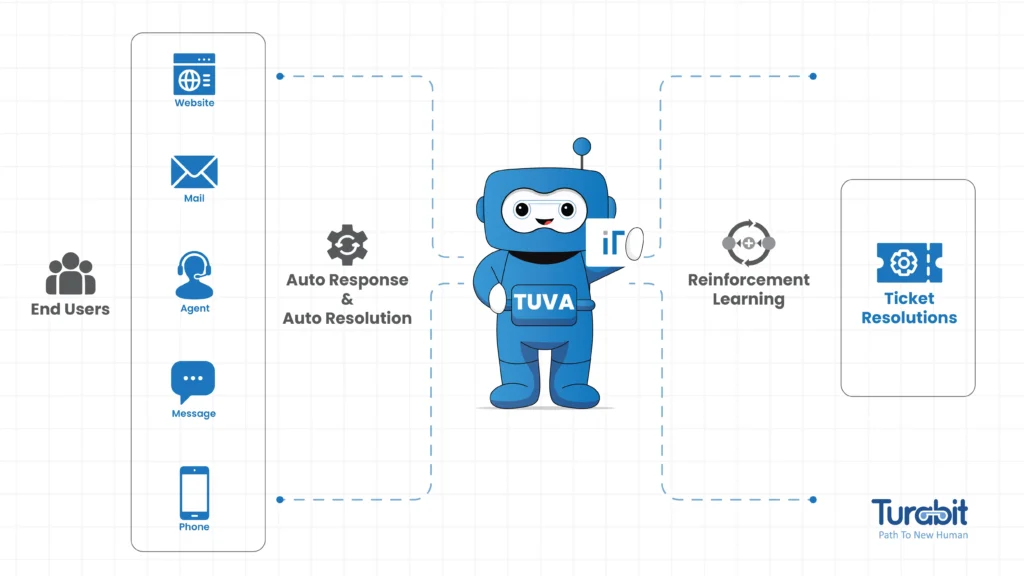
Say hello to Turabit’s Tuva IT, your new best friend for dealing with service tickets by the truckload. Whether you’re a small startup or a sprawling enterprise, this savvy system uses Conversational AI and RPA(Robotic Process Automation) to classify and route tickets faster than you can say “help desk”.
Tuva IT doesn’t just sort and direct tickets – it’s also a wizard at ticket deflection.
By automating responses to common questions, it cuts down on the number of tickets that need a human touch, streamlining your support operations and speeding up resolutions.
Check out these standout features and benefits of Tuva IT’s effortless ticket triaging:
With Turabit’s Tuva IT, you can automate repetitive and time-consuming tasks for peak efficiency.
Tuva IT makes sure that only the tickets matching your team’s expertise get through, optimizing everyone’s time.
The cherry on top? Any issue that can be solved with existing knowledge articles, templates, or past resolutions is handled automatically – no humans intervention required.
Want to see how Tuva IT can transform your service, employee, and customer experiences while cutting costs? Request a demo today.
And at last remember, ticket triage is all about prioritization and efficiency. Keep refining your process, and you’ll see the benefits in no time.
Happy triaging!